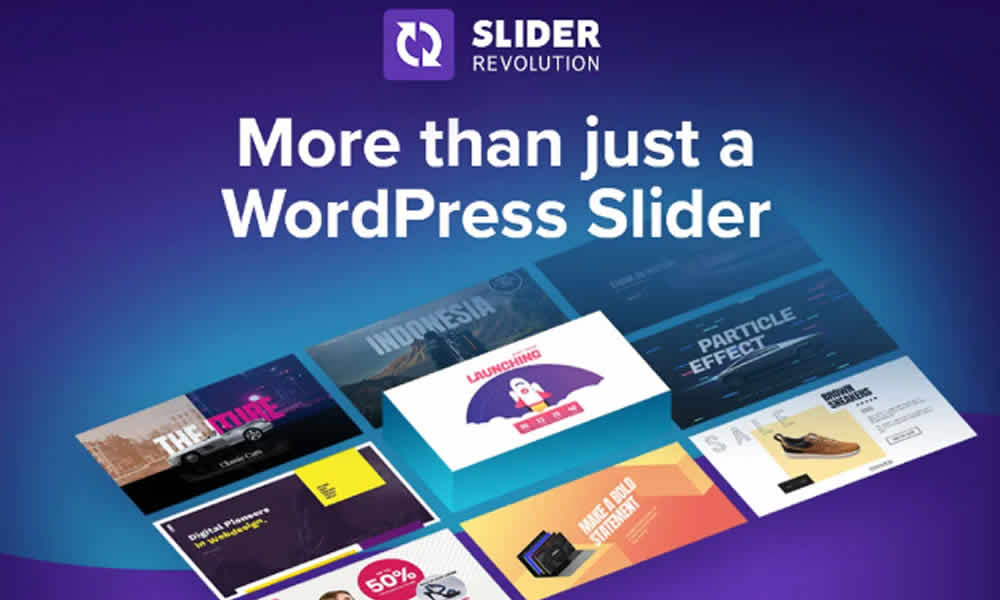
When the goal is to create memorable visual experiences in WordPress, few plugins carry the weight and versatility of Slider Revolution. In fact, in its 2025 version with Add-ons and Pack, the plugin goes a step further and delivers a toolkit that can turn almost any site into a true digital showcase. That’s why it doesn’t stop at “making sliders”: it helps you build scenes, animations, and even complete sections with a level of control that is usually associated with advanced design software.
Additionally, today’s users decide quickly whether a website feels trustworthy. In contrast, when the first impression looks flat or loads slowly, attention disappears. On the other hand, when a site uses subtle motion, clean transitions, and clear messaging, the experience feels modern and professional. As a result, Slider Revolution has become a creative hub where you can develop animations, interactive banners, carousels, and even full-page layouts with a cinematic edge—without turning your workflow into chaos.
What Slider Revolution Is and Why It Still Leads
Slider Revolution is one of the most popular and sophisticated WordPress plugins for building sliders and interactive animations. However, its real power comes from creating dynamic interfaces without writing complex code. For that reason, designers, developers, agencies, and entrepreneurs use it to deliver faster while upgrading visual impact across projects of many sizes.
Moreover, the 2025 + Add-ons + Pack version combines the core plugin with an extensive library of templates, extensions, and customization options. That way, it becomes a complete solution for anyone who needs fast results without sacrificing quality. In summary, this isn’t just a decorative add-on: it’s a creative platform for building sections that guide users, explain value, and support conversions.
Why Slider Revolution 2025 Remains a Reference Point
With each update, the plugin keeps evolving. In fact, it follows modern design trends and introduces tools that, years ago, belonged only to advanced editing software. That’s why you’re not locked into a rigid “slide” format; instead, you can build transitions, layered scenes, and effects that feel current.
Additionally, the 2025 release is often recognized for three pillars: compatibility, performance, and creative assets. As a result, it works smoothly with builders such as Elementor, WPBakery, and Gutenberg; in contrast, many other animation plugins clash with page builders or limit the workflow. On the other hand, performance stays healthy when used with intention, thanks to smart loading options and speed-oriented settings. Meanwhile, the template library remains a strong starting point, letting you launch from a professional baseline in minutes.
Features That Take Design to the Next Level
The full package truly shines when you need speed, consistency, and impact. For that reason, its toolkit is built to deliver visuals that look powerful while still feeling aligned with your brand. In other words, it helps you move fast without losing creative control.
Ready-to-use, customizable templates give you a serious head start. That way, an agency can create an animated hero, a services carousel, or a promotional banner without designing from scratch. Additionally, templates can be adapted to different industries quickly, which accelerates delivery and keeps quality high.
Add-ons with real impact are where the experience becomes more immersive. For example, extensions can introduce special effects, video layers, particle animations, dynamic transitions, and more advanced behaviors. As a result, the design stops being static and starts feeling premium. In contrast, a basic slider often falls short when a project needs a more cinematic look.
An intuitive visual editor supports drag-and-drop building with layered scenes. In fact, even non-experts can achieve professional results as long as the composition stays clear and animations are used with restraint. Moreover, timing controls allow precise entry and exit animations, which helps the design feel polished rather than random.
Multimedia integration makes storytelling stronger. Images, videos, and GIFs can be incorporated into sliders, and in certain setups, even dynamic feeds can be used. That way, the message gains energy and clarity. On the other hand, combining text with media can highlight benefits without turning the page into a wall of paragraphs.
Advanced responsiveness helps the experience stay consistent across screens. For that reason, animations and elements can adapt to different device sizes. In summary, you can design with intention and still keep control of how it looks on desktop, tablet, and mobile.
Business Value of the 2025 + Add-ons + Pack for Agencies and Brands
The complete package isn’t just a collection of separate tools. In fact, it delivers a ready-to-use solution for multiple niches, which is critical for agencies and teams managing several clients at once. That’s why production time goes down while visual consistency goes up.
Additionally, agencies can save hours by starting from high-quality templates and aligning them to each brand. In contrast, building everything from scratch typically demands more budget, more coordination, and more revisions. On the other hand, e-commerce sites can use animated banners, product carousels, and promo sections that increase attention and clicks. Meanwhile, institutional websites gain credibility through modern presentations, and creative portfolios can use elegant motion that elevates perceived value.
As a result, the pack expands what you can deliver without hiring a massive team or relying on external systems. In summary, you’re investing in productivity, speed, and the ability to deliver a higher-end look on WordPress.
Practical Applications: Where Slider Revolution Really Shines
The plugin’s versatility becomes obvious when applied with a clear goal. For example, a restaurant can present a menu through dynamic slides with high-definition images and subtle motion. Additionally, that section can include direct buttons for bookings or delivery, which reduces friction and encourages action.
On the other hand, a tech startup can create animated sections that explain a product step by step, reinforcing innovation and clarity. Meanwhile, a photographer can build a portfolio with elegant transitions that amplify the work, and an online school can highlight courses through interactive banners that link to enrollment pages. As a result, the plugin fits nearly any type of website—provided the animation supports the message instead of competing with it.
Slider Revolution vs Other Animation Plugins
Many slider plugins offer basic transitions and a handful of preset styles. However, Slider Revolution stands apart because of its depth and range of creative assets. That’s why it doesn’t simply “rotate images”; it enables complete animations, interactive banners, and immersive sections that feel custom-built.
Additionally, when a project requires a strong visual identity, layered control and scene building become essential. In contrast, simpler alternatives might be fine for small sites, but they usually fall short when you want a truly professional finish. In summary, the difference isn’t just aesthetic—it’s about creative control and production capability.
How to Install and Start Using It in WordPress
Installation is usually straightforward. First, you obtain Slider Revolution 2025 + Add-ons + Pack from your provider and upload the .zip file in the WordPress dashboard. Then, you install and activate it. That way, the plugin is ready for template import and editing.
After that, it’s smart to choose a template that matches the site’s goal and customize the text, colors, fonts, and imagery. Additionally, testing on mobile is essential, since animations can look crowded on smaller screens. On the other hand, keeping motion clean often improves perceived quality: more “cinema,” less “noise.” In summary, you can have modern animations and high-impact sections ready to publish in a short time.
Performance and Best Practices: Impact Without Losing Speed
A visual website can still be fast when you work with intention. For that reason, it’s best to optimize images, avoid excessive animation layers, and use only the modules you truly need. Additionally, a solid cache setup and compressed assets help maintain healthy loading times. In contrast, adding effects simply “because you can” can quickly make the site heavy.
In fact, the best approach is to treat each slider as communication: one clear message, one visible call to action, and motion that supports readability. That way, visual impact becomes real performance, not just decoration.
The Final Touch That Makes Your Site Feel Like a Big Brand
In an increasingly visual market, websites that deliver interactive experiences have better chances of capturing attention and driving action. That’s why Slider Revolution 2025 + Add-ons + Pack can become a competitive advantage: it helps build a presence that feels more modern, more engaging, and more aligned with user expectations.
Additionally, when the design impresses from the first second, visitors tend to stay longer and understand the offer faster. In summary, this plugin is not just decoration—it’s a strategic tool to strengthen branding, increase interaction, and give WordPress a truly professional finish.