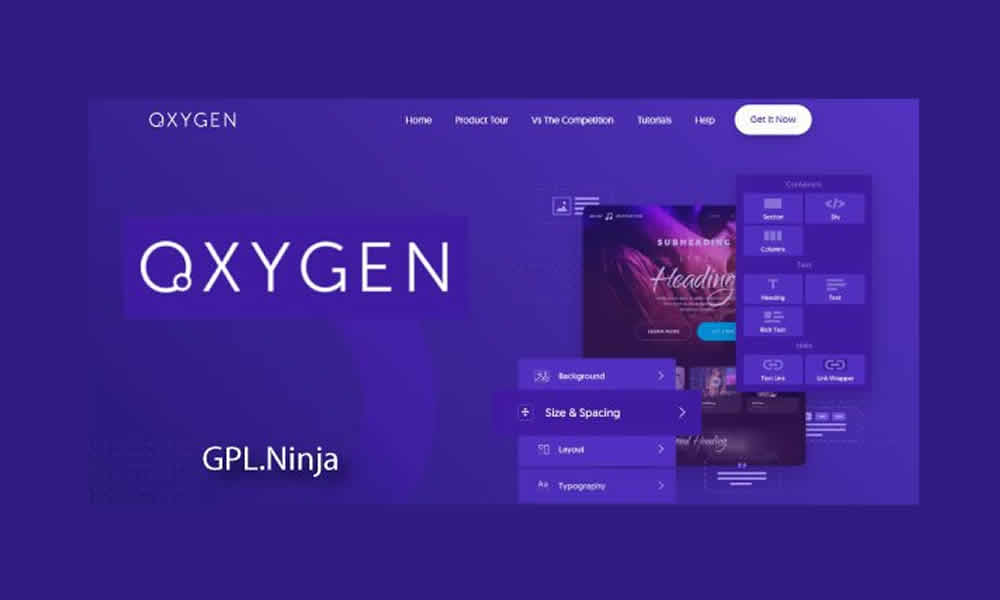
When people talk about visual builders in WordPress, names like Elementor and WPBakery usually show up first. However, there’s an alternative that keeps attracting users who want more flexibility and, at the same time, better performance: Oxygen Builder. Unlike many competitors, it doesn’t stop at “editing pages”; instead, it works as a full site builder that lets you customize a project deeply, from structure to fine styling details.
Moreover, with the GPL option, it becomes possible to access premium-level features with a far more accessible cost, without sacrificing the quality of the final result. That’s why developers, freelancers, and agencies choose it when they need lightweight, professional websites with full creative freedom. In fact, in projects where speed and control matter, Oxygen often makes a noticeable difference.
What Oxygen Builder Is and Why It’s Not “Just Another Editor”
Oxygen Builder is a visual building plugin that replaces the traditional WordPress editor and lets you design not only pages, but also the header, footer, blog templates, and complete site structures. As a result, instead of depending on a rigid theme, you build with a freer, more customizable approach. Additionally, Oxygen combines visual controls with direct access to CSS, HTML, and JavaScript, which opens the door for precise tweaks and custom solutions.
In summary, it’s a tool that blends the simplicity of drag and drop with the flexibility of clean code. On the other hand, that approach often translates into a practical advantage: better-structured sites with less unnecessary “weight.”
Oxygen Builder Differentials That Explain Its Reputation
Among so many builders, Oxygen stands out for very concrete reasons. First, it offers full design control, from layout structure to micro visual details. Second, it follows a logic that tends to generate more optimized code, which usually impacts loading speed in a positive way. Moreover, it includes tools designed for professionals who want to go beyond the basics.
- Total design control, with deep customization of templates and components.
- WooCommerce integration, ideal for stores and product catalogs.
- Responsive editing, with precise adjustments for mobile and tablet.
- Optimized code output, supporting faster load times.
- Advanced resources for developers, including custom CSS/JS insertion.
Therefore, the plugin blends creative freedom with performance. Meanwhile, in projects where the site must grow without breaking, that balance becomes a real competitive advantage.
Why Choosing the GPL Version Can Be a Smart Move
The official Oxygen license can represent an investment that doesn’t fit every budget, especially when you manage multiple clients or several projects at once. In contrast, the GPL option can make premium-level resources more accessible. That’s why the equation changes: you increase delivery capacity without raising operating costs as much.
Additionally, choosing GPL often brings practical advantages:
- Save money without giving up important features.
- Install the plugin on multiple projects as your workflow requires.
- Keep the site updated to improve stability and security.
In summary, GPL can be strategic for anyone who builds websites as a service and needs to protect margins. However, like with any tool, the key is to use it with good judgment and keep solid WordPress maintenance practices in place.
Core Features of Oxygen Builder GPL in Real-World Work
Oxygen doesn’t earn its reputation from promises, but from what it lets you build every day. In fact, its strengths show up in workflow speed, site performance, and design freedom.
Advanced Visual Editor with Precise Control
With its drag-and-drop editor, you can build complete layouts quickly. Moreover, the styling system gives you precise control over typography, spacing, and reusable components. As a result, the project stays consistent even when it grows into many pages.
Reusable Templates That Keep Your Site Consistent
Oxygen makes it easy to create reusable templates and apply them across multiple sections. That way, an agency can produce faster without sacrificing brand identity. In contrast, if every page is built from scratch, consistency drops and maintenance becomes heavier.
WooCommerce Compatibility for More Customized Stores
In e-commerce, details matter. Oxygen lets you customize product pages, categories, cart, and checkout, creating an experience that fits the brand more closely. Additionally, when you control design better, it becomes easier to highlight benefits, reviews, and calls to action. Therefore, the impact isn’t only visual—it can influence conversion.
Performance: Faster Sites Through a Cleaner Approach
One of the most cited reasons to choose Oxygen is performance. By generating a cleaner structure, projects often load faster. In fact, when a site responds quickly, user experience improves and that tends to translate into better engagement signals. Moreover, stronger performance can help SEO because speed and experience matter.
Developer Tools: Real Freedom to Customize
For those who work with CSS and JavaScript, Oxygen can feel like an open field for custom solutions. As a result, you can integrate scripts, adjust behaviors, and build custom components without depending on multiple extra plugins. On the other hand, that freedom can reduce the need for heavy add-ons, which also supports performance.
Use Cases: Where Oxygen Fits Best
Oxygen adapts to different scenarios, from simple websites to complex platforms. Moreover, its “total control” approach becomes especially valuable when you want to stand out visually without compromising speed.
- Business websites with custom design and clear structure.
- E-commerce stores with advanced customization and optimized product pages.
- Modern blogs with category templates and dynamic layouts.
- Landing pages focused on lead capture and conversion.
- Educational platforms integrated with LMS and member areas.
In summary, niche doesn’t matter much: if a project needs performance, control, and a design that doesn’t feel generic, Oxygen is often a strong fit.
Direct Benefits of Oxygen GPL for SEO and Website Growth
Installing Oxygen Builder GPL often brings clear advantages. On one hand, the site tends to load faster, which supports experience and, in many cases, SEO. On the other hand, the design freedom helps you avoid being trapped by rigid theme limitations, allowing pages to match the brand more closely. Additionally, responsive controls help deliver a strong experience across all devices.
- Faster loading speed, supporting UX and SEO signals.
- Creative freedom, without theme limitations.
- Responsive design with precise mobile and tablet adjustments.
- Scalability to grow without breaking structure or style.
- Better cost-benefit by accessing premium-level features with lower investment.
Therefore, Oxygen GPL can be an effective balance of savings, performance, and customization. Meanwhile, in competitive projects, that combination often shapes the final outcome.
How to Install Oxygen Builder GPL in WordPress
The installation is straightforward. First, download the .zip file. Then, go to Plugins > Add New > Upload Plugin in the WordPress dashboard and upload it. After that, click Install Now and finally Activate. As a result, the visual environment becomes available and you can start building.
Additionally, it’s smart to define a base structure early (header, footer, and templates) to maintain consistency. In fact, when that foundation is solid, the rest of the project moves faster with fewer adjustments.
Oxygen vs Elementor and Other Builders: Who Should Choose What
Elementor often wins on popularity and a beginner-friendly learning curve. However, Oxygen attracts people who want absolute control, less theme dependency, and an approach that often results in faster sites. In contrast, if your priority is “build fast with what already comes included,” Elementor may feel more comfortable at the start.
Nevertheless, when a project demands performance, scalability, and deep customization, Oxygen tends to be more attractive. In summary, the difference comes down to profile: immediate convenience versus long-term control and performance.
The Final Touch That Separates Professional Projects From Generic Ones
In the end, Oxygen Builder GPL is designed for anyone who doesn’t want limitations. Moreover, its approach combines free design with a cleaner and more efficient foundation. That’s why it becomes a powerful tool for agencies, freelancers, and developers who want to deliver unique, fast, scalable WordPress sites.
In summary, Oxygen isn’t “just another plugin.” It’s a way to build WordPress with creative independence and real structural control. And when the goal is to compete seriously, that level of control is pure value.