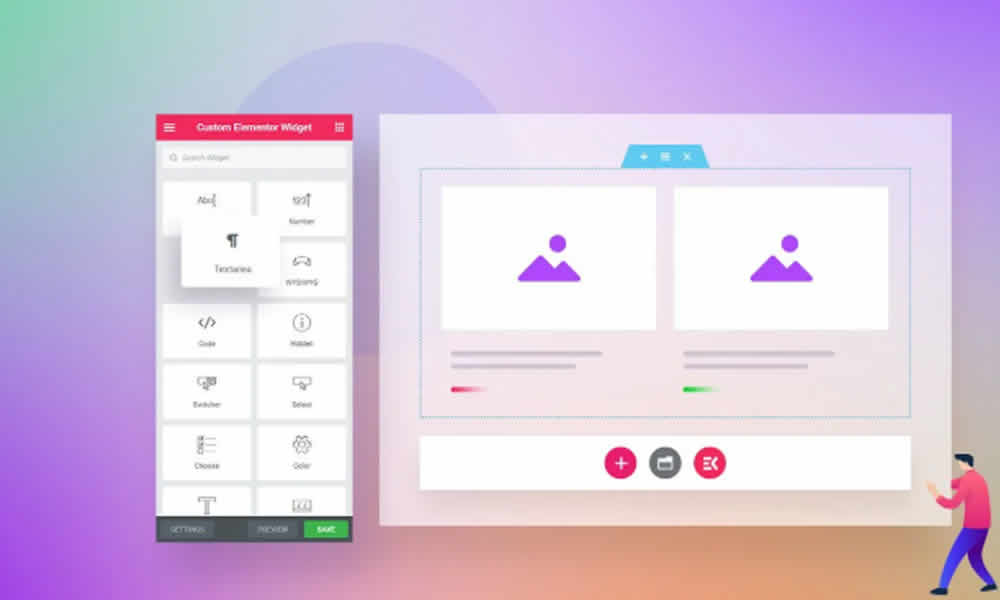
Anyone who works with WordPress knows that Elementor completely changed the way websites are created. Thanks to its visual builder, almost anyone—with or without coding experience—can design pages with modern style and strong impact. However, when a project needs more than the basics, a natural limitation appears: you need more widgets, you need more flexibility, and, very often, you need a faster way to build complex sections without installing dozens of separate plugins. That’s why ElementsKit Widgets – Addon for Elementor became such a popular solution: it expands Elementor’s capabilities and pushes design into a more professional and adaptable level.
Moreover, this premium addon offers a wide toolkit that extends the power of the builder. In fact, many customizations that used to require code can now be handled with visual controls and ready-made templates. As a result, you can create more dynamic, interactive, and current layouts, which is ideal for small businesses as well as large projects competing in demanding markets.
Why ElementsKit Matters If You Use Elementor
Elementor on its own is already a very powerful tool. Still, its free version has clear limits, and even Elementor Pro does not cover every real-world need that designers, entrepreneurs, and agencies face daily. On the other hand, when a client asks for a more advanced menu, a custom header, a richer slider, or a truly modern pricing table, the “plugin hunt” usually begins.
Instead, ElementsKit works as a practical answer: it’s a set of extra widgets and smart extensions that add essential features—from advanced menus to carousels, pricing tables, stylized buttons, pre-built sections, and marketing-focused widgets. Additionally, by consolidating functionality into one solution, you save time and reduce the need for multiple add-ons.
Therefore, the site builder gains more creative freedom, speeds up production, and keeps the project cleaner. In summary, ElementsKit doesn’t compete with Elementor—it strengthens it and makes it more complete for professional work.
Top ElementsKit Widgets and Features That Make a Difference
Among the most valued tools inside ElementsKit, you’ll find features that solve common issues in navigation, brand identity, and conversions. Moreover, many of these are the “client-noticeable” upgrades, because they change the user experience in ways people immediately feel.
To begin with, the Mega Menu Builder lets you build complex, attractive, and fully responsive menus. In fact, a well-structured mega menu improves navigation, makes key pages easier to reach, and reduces visitor frustration. Because of that, it’s a major advantage for corporate sites, e-commerce stores, and content portals with many sections.
Additionally, the Header & Footer Builder gives you full control over the top and bottom areas of your site without writing code. As a result, you can build consistent branding with strategic calls-to-action, clearer menus, and a footer that actually guides the user instead of being an afterthought.
On top of that, ElementsKit includes modern, customizable pricing tables that help highlight plans and offers. In contrast, when pricing tables look generic or confusing, users hesitate and conversions drop. Therefore, having a clean pricing layout can make the decision feel simpler and more confident.
Likewise, the addon provides social media widgets that connect Instagram, Facebook, and other platforms, keeping pages more dynamic. Furthermore, it adds advanced carousels and sliders that bring movement and modern presentation without relying on extra plugins. Meanwhile, professionally designed ready-made layouts help you ship pages faster, which is perfect when you need to launch quickly without lowering quality.
In short, these elements make page building faster, more intuitive, and more impactful while keeping performance in mind.
Direct Benefits for Digital Businesses
Adopting ElementsKit Widgets isn’t just about aesthetics. In fact, results often show up in real metrics: time on site, click-through rates, and conversions. That’s why, for digital businesses, the addon becomes a strategic booster rather than a decorative upgrade.
First, a more attractive design tends to keep visitors engaged longer, especially when structure is clear and navigation feels smooth. Additionally, the ability to create high-visibility calls-to-action and featured sections increases clicks on key buttons, forms, and contact links.
On the other hand, using optimized pricing tables improves plan comparison and reduces doubt. As a result, users understand the value proposition faster and move forward with less friction. Meanwhile, customizing headers and footers supports a consistent identity across pages, which strengthens brand trust over time.
In summary, all of this contributes to a more professional and persuasive website, which often translates into stronger business outcomes.
How ElementsKit Helps Design and SEO Work Together
There’s a common idea that design and SEO don’t always work well together. However, ElementsKit proves they can align when development stays optimized. The addon is built with optimized, lightweight code, aiming to avoid unnecessary load that can slow down a website. Because of that, it becomes easier to maintain stable performance even with visually rich pages.
Moreover, fast pages are usually evaluated more positively by Google, and user experience plays an increasing role in perceived quality. In fact, when visitors navigate smoothly, stay longer, and consume more sections, the site sends positive signals. Therefore, ElementsKit doesn’t just improve visuals—it also supports a stronger foundation for SEO-friendly performance.
Why One Integrated Addon Beats Many Separate Plugins
Installing many different plugins can feel like a quick solution. However, that approach often increases conflicts, resource usage, and compatibility headaches. In contrast, ElementsKit addresses this by bringing essential features into one unified solution, with consistent updates and a more stable, centralized approach.
Additionally, centralizing tools simplifies maintenance: fewer settings panels, fewer scattered controls, and fewer failure points. On the other hand, when you build for clients, that simplicity becomes an operational advantage because the site is easier to review, optimize, and scale.
Practical Use Cases: Where ElementsKit Truly Shines
Entrepreneurs, bloggers, and agencies use ElementsKit when projects need visual impact and a clear structure. For example, it’s ideal for building high-converting landing pages with interactive sections without depending on multiple add-ons. Additionally, it helps structure corporate websites with modern menus and organized blocks, raising the perception of professionalism.
Likewise, in WooCommerce environments, you can create pages with attractive sliders, more dynamic product displays, and featured sections that improve user flow. Meanwhile, for creatives and freelancers, it’s especially useful for building portfolios that present images and past work with a clean look and pleasant navigation. As a result, you get a website that feels complete, dynamic, and ready to compete across different niches.
A Creative Finish That Makes Building Easier, Not Harder
The biggest advantage of ElementsKit Widgets – Addon for Elementor is the balance between speed, flexibility, and final quality. That’s why, instead of “patching” a site with multiple plugins, you can concentrate essential resources in one solution and build pages with a higher standard. Moreover, when you reduce development and maintenance time, it becomes easier to focus on what actually moves the business: content, offers, conversions, and growth.
In summary, if Elementor is already your foundation, ElementsKit can be the upgrade that delivers the visual and functional leap your project is asking for—without making your workflow more complicated.