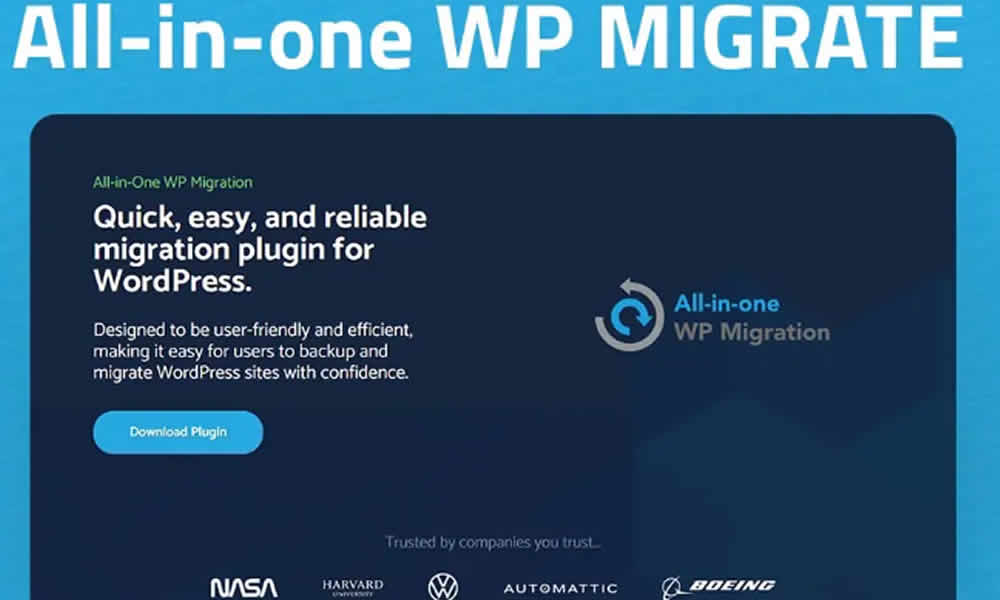
For years, migrating a WordPress site was basically synonymous with a headache. More often than not, the process involved a database backup, manual file exports, delicate server adjustments, and—on top of everything—the very real risk of losing content along the way. However, there’s now a tool that has completely changed that reality: All In One WP Migration Extensions Pro, built to make full-site transfers faster, safer, and far more predictable.
Moreover, this plugin doesn’t just simplify life for developers and agencies; it also allows non-technical users to move their websites without relying on complex procedures. In fact, the goal is straightforward: reduce friction, prevent mistakes, and make sure the site “arrives the same” at the new destination—design, content, and settings intact. That’s why it has become a go-to reference for migrations driven by growth, cost optimization, or technical needs.
What All In One WP Migration Extensions Pro Is
All In One WP Migration Extensions Pro is the advanced version of the widely known All In One WP Migration plugin, commonly used to export and import WordPress websites. In other words, it’s an evolution designed for real-world scenarios: migrations with fewer limitations, better support for large files, and integration options with cloud services—which becomes crucial once a site stops being “small” or when you manage multiple projects at once.
Thus, instead of dealing with manual processes that can consume hours—and that only work when everything goes perfectly—the plugin lets you move an entire site from one server to another in just a few steps. Additionally, the migration includes themes, plugins, images, settings, and the database, keeping the project structure complete. On the other hand, this is especially valuable for agencies, recurring maintenance work, and projects that change hosting providers frequently.
Why This Plugin Becomes Essential for Serious WordPress Management
There are several reasons All In One WP Migration Extensions Pro has become almost a must-have for people who manage WordPress sites professionally. First of all, it offers extreme practicality: in minutes, the entire site is exported as a single file, which makes both migration and long-term storage much easier. Furthermore, that approach reduces the margin of error because you’re no longer juggling separate exports or scattered steps.
On top of that, its broad compatibility makes it easier to work across different WordPress versions and a wide variety of environments. So, whether a site is running on shared hosting, a VPS, or a more customized infrastructure, the plugin can still be a reliable option. Meanwhile, its focus on speed cuts migration time dramatically compared to traditional methods that rely on FTP plus manual SQL work.
Nevertheless, what most users value is the security of the process. The plugin aims to preserve data integrity and reduce the risk of loss during the transfer. By contrast, when sites are migrated “by hand,” problems often show up in unexpected places: broken paths, damaged internal links, missing media, or incomplete configurations.
Additionally, cloud integrations add another layer of convenience. With support for services like Google Drive, Dropbox, Amazon S3, and OneDrive, backups and transfers become far more flexible. In summary, it’s used by beginners and professionals alike because it reduces complexity without sacrificing results.
Key Features That Actually Make a Difference
This plugin stands out for ease of use, yes—but also for how robust it is. In fact, it goes beyond the basics and brings features that address common real-world migration problems. That’s why once a site grows, the Pro version stops feeling like a “nice-to-have” and starts acting like a practical solution.
To begin with, large file support is essential for e-commerce sites, content portals, or websites with thousands of images. Furthermore, when you’re dealing with big databases, traditional migrations often fail because of server limits. Instead, the Pro extensions are designed to handle those typical barriers more effectively.
On the other hand, the plugin can be used in workflows that include automatic and scheduled backups, which helps keep an updated copy of the project at all times. So, if a migration gets complicated or the site suffers an incident, you have a reliable rollback point. Meanwhile, the ability to restore previous versions in just a few clicks adds operational peace of mind—especially when changes happen frequently or updates are sensitive.
Moreover, cloud storage integration allows you to keep copies outside the main server. Therefore, if the original hosting environment fails, your backup doesn’t disappear with it. Likewise, the exclusion filters are extremely useful when you don’t need to migrate everything, but only specific parts—for example, moving the site without heavy directories, or excluding temporary elements. In summary, these features make All In One WP Migration Extensions Pro more than a plugin: it becomes a digital safety net for online projects.
Real Benefits for Businesses, Agencies, and Developers
Implementing All In One WP Migration Extensions Pro usually creates visible gains across multiple areas. First, it brings agility to projects: a developer can move a staging environment to production with speed and consistency. Additionally, faster execution reduces the risk window, because the site spends less time in a “half-migrated” state.
On the other hand, there’s a clear cost reduction. You avoid spending hours on manual tasks and tricky adjustments that often require specialized help. In fact, in an agency scenario, the time saved per migration turns into capacity—meaning you can handle more clients without sacrificing quality.
Likewise, you gain peace of mind. Knowing you have a complete, restorable backup—and that the process is packaged into a proven tool—changes the way you work. By contrast, when a method depends on scattered steps, every migration feels like a gamble. Furthermore, the plugin’s scalability allows growing companies to move to stronger servers without long interruptions, maintaining operational continuity.
Finally, flexibility matters for anyone chasing better hosting deals or needing to meet specific technical requirements. In summary, the plugin helps you move freely, without being “locked” into a provider just because migration feels risky.
How Migration Quality Affects the End User Experience
Although this is a tool aimed at admins, its impact reaches the end customer directly. When a migration is done efficiently, the site stays online, fast, and stable, without long periods of downtime. That’s why visitors continue browsing without frustration, and the brand communicates reliability.
Moreover, the ability to keep frequent backups provides protection against unexpected issues like server failures or cyberattacks. In fact, that operational continuity is one of the most valuable assets a digital business can have. In summary, migrating well doesn’t just save internal work—it also protects the relationship with your audience.
Everyday Use Cases That Make It a Practical Tool
Picture an agency managing dozens of WordPress sites. In that case, with All In One WP Migration Extensions Pro, it becomes possible to create automatic cloud backups and restore them whenever needed. Additionally, that means you can react quickly to errors, failed updates, or hosting changes requested by a client.
On the other hand, a growing e-commerce store can move from shared hosting to a stronger VPS in just a few hours—without losing orders or critical data. So, the business scales without slowing down sales. Meanwhile, independent professionals like designers and freelancers can deliver projects faster, increasing productivity and improving client satisfaction.
How It Stacks Up Against Other Migration Plugins
There are plenty of solutions available, but few reach the same level of reliability and simplicity. However, many free plugins impose file size limits or require advanced technical skills, which can stall a project at the worst possible moment. In contrast, All In One WP Migration Extensions Pro stands out for being more flexible, secure, and customizable, adapting to small and large sites without turning migration into a puzzle.
Additionally, the user experience tends to be more direct: fewer steps, less room for error, and more control over the final outcome. In summary, it’s a strong choice for anyone who prioritizes predictability and speed.
The Final Tweak That Changes Everything in a Migration
Adopting All In One WP Migration Extensions Pro is a practical move toward security, convenience, and a calmer workflow. Therefore, the typical fears of losing data or dealing with instability during transfer start to fade. Moreover, when every minute offline can mean lost customers, having a smooth migration stops being a technical detail and becomes a competitive advantage.
In summary, this tool helps prepared businesses move with confidence, while vulnerable projects remain stuck in manual processes. If your WordPress site is central to your operation, migrating without chaos is a smart decision—and this plugin is built precisely for that.