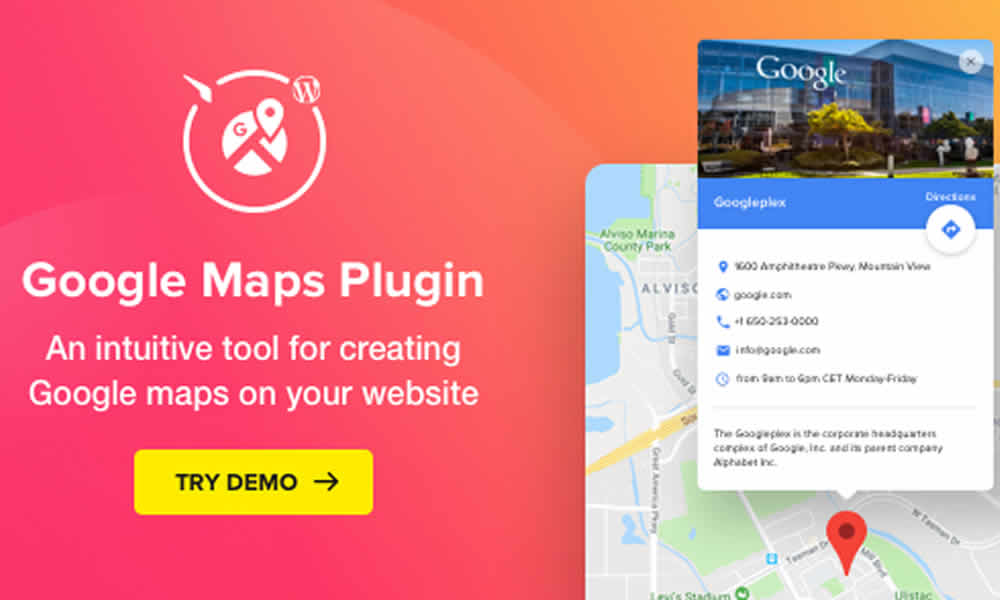
A modern website needs to offer more than information. Today, it also needs to connect visitors with the real world, guiding them to businesses, events, and points of interest with clarity and speed. That’s why, when the goal is to improve navigation and make it easier for users to reach a specific place, embedding a map stops being an “extra” and becomes a strategic asset. In that scenario, Google Maps WordPress Map Elfsight stands out as one of the most powerful and practical solutions for adding interactive maps to WordPress without headaches.
Moreover, unlike basic widgets or manual embed codes that often feel rigid and hard to customize, Elfsight delivers a complete experience. As a result, every detail can be adjusted to reinforce brand identity, keep visual consistency across the site, and improve navigation flow. In summary, the map doesn’t just “show an address”—it supports the user journey and reduces friction on the path to conversion.
What Elfsight Google Maps for WordPress Is
Elfsight Map is a premium solution built to add dynamic, customizable maps to WordPress sites without requiring advanced technical knowledge. In fact, it’s designed so virtually any administrator can create, configure, and publish a map in minutes—without coding or complex setup.
Additionally, it does far more than display a single location. With this tool, businesses and creators can build interactive maps with multiple markers, include detailed descriptions, add helpful links, and offer optimized directions, all within a layout that fits different designs. That way, the website gains a functional feature that guides, informs, and builds trust from the first glance.
Why Choose Elfsight Map Instead of Free Options
Google Maps lets you embed a map in a simple way, and that can be enough for very basic projects. However, when you want a professional result—aligned visuals, rich markers, multiple points, and a smooth mobile experience—limitations become obvious. That’s why Elfsight adds differentiators that turn the map into a real piece of a digital strategy.
First, it offers advanced styling and customization with colors, layouts, and icons that match your brand. So, the map doesn’t look “pasted” onto the site—it feels integrated. Moreover, it supports multiple locations on a single map, which is ideal for brands with more than one branch or for tourism projects highlighting multiple attractions. Meanwhile, the responsive experience is built with mobile in mind, which matters because a large share of traffic comes from phones.
On the other hand, its easy integration keeps implementation fast inside WordPress. As a result, setup time drops and launch speed improves. And while a map isn’t “magic” by itself, a well-built map can support local SEO indirectly by strengthening geo-relevance signals and reducing friction in the user journey. In summary, it’s a premium solution aimed at more polished, measurable outcomes.
Key Features of Google Maps WordPress Map Elfsight
Elfsight stands out by balancing design, flexibility, and performance. In fact, the goal is to give administrators real control without turning the process into something heavy. That’s why the plugin fits corporate websites, tourism projects, clinics, real estate, events, and retail brands with physical locations.
Additionally, full design customization lets you adjust colors, typography, spacing, and styles so the map matches your brand. That way, visual consistency stays intact, and overall site quality feels higher.
Furthermore, interactive markers add useful context to each location, including descriptions, images, and links. As a result, each marker can represent a store, branch, event, or point of interest in a compelling way—without forcing users to leave the website just to understand what they’re seeing.
Meanwhile, route and directions support helps visitors see how to get there quickly, which reduces doubt and increases the chance of a real-world visit. Moreover, broad compatibility means it works with most WordPress themes and builders like Elementor, WPBakery, and Gutenberg, making it easier to implement even on existing projects.
Finally, the plugin is built with speed awareness. Even as a feature-rich widget, it aims to avoid turning pages into slow-loading experiences. In summary, it delivers a robust map without making it a “heavy” element on the page.
Direct Benefits for Local Businesses and Physical Locations
For local businesses, being “easy to find” is part of the business model. That’s why a well-configured map becomes a strategic tool that guides customers all the way to the door. Moreover, when users can find location details, landmarks, and directions without effort, trust increases and decisions happen faster.
For example, a restaurant can highlight multiple branches with photos, hours, and quick links. Likewise, hotels and lodges can map nearby attractions, creating a richer planning experience. Meanwhile, clinics can guide patients with clear transport routes, parking notes, or easy references. On the other hand, retail stores can use maps to point to service availability by branch or highlight specific pickup points.
Additionally, because it’s built around Google’s mapping ecosystem, the information feels precise and reliable, which improves user confidence. In summary, the map stops being a visual detail and becomes a bridge between the website and real-world visits.
How Elfsight Stands Out from Other Map Plugins
There are many WordPress map plugins available. However, few deliver a real balance between design, performance, and flexibility. That’s why Elfsight stands out with a premium, practical approach that prioritizes ease of use.
First, a user-friendly interface reduces dependency on code. Moreover, it supports more than “one location” thinking, enabling themed use cases such as tourist routes, event circuits, or service networks. Meanwhile, multi-language support can be valuable for sites serving international audiences. On the other hand, frequent updates help maintain compatibility with new WordPress versions, which adds long-term stability.
In summary, these details stack together and make the map feel professional—especially for projects that rely on reliability and consistent performance.
Installation and Setup: How to Launch It Without Stress
Implementation is straightforward. First, you install the plugin from the WordPress dashboard by uploading the .zip file and activating it. Additionally, the map configuration is handled through Elfsight’s setup interface, where you can control styles, icons, and markers based on your needs.
Furthermore, once the shortcode is generated, you can place it on any page or post. That way, in just a few minutes, your site can deliver an interactive geolocation experience that guides users with minimal friction. In summary, it’s accessible even for non-technical teams.
Local SEO and User Experience: Why Maps Help More Than People Think
One of the strongest advantages is its potential contribution to local SEO. In fact, when a site displays interactive maps clearly and consistently, it can strengthen perceived regional relevance, especially when the page includes coherent location and service information.
Moreover, user experience improves: visitors find quick details, practical routes, and a design that communicates credibility. As a result, a well-configured map isn’t decoration—it’s a tool that reduces doubt, accelerates decisions, and improves the relationship between brand and customer. In summary, the outcome often translates into more physical visits and more conversions.
The Detail That Turns Online Visits into Real Arrivals
Google Maps WordPress Map Elfsight is more than a location plugin. That’s why it works as a strategic communication tool, combining information, design, and convenience into one resource. Moreover, in a market where online competition grows every day, functional differentiators can be the turning point for increasing foot traffic and strengthening customer loyalty.
In summary, if your goal is a website that feels functional, attractive, and ready for local marketing, integrating a premium, customizable map is a smart move that improves the user experience from the very first click.