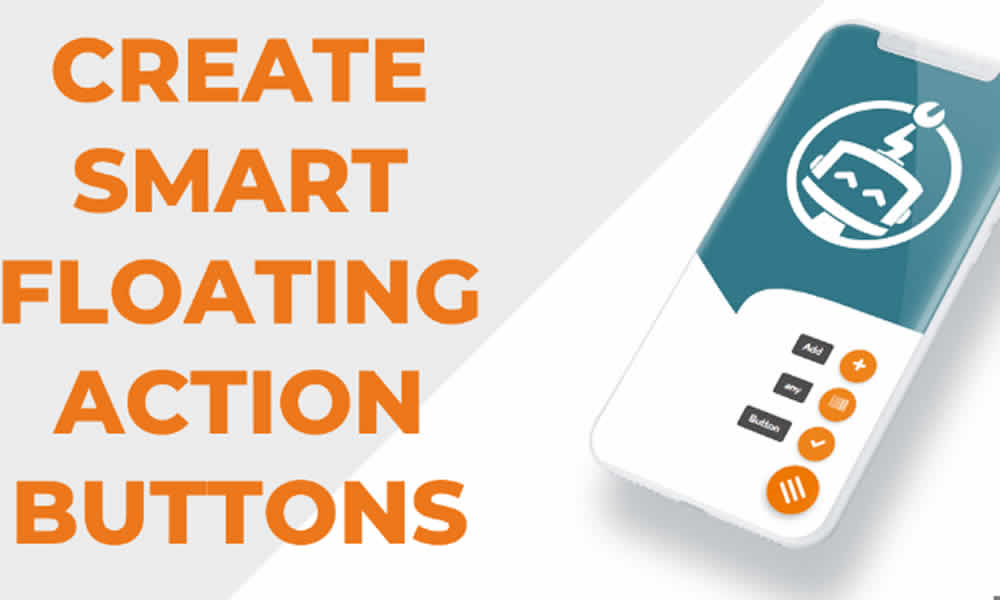
Online attention is limited. In fact, every second matters when someone lands on a website and needs to find a contact button, a social link, or the shortest path to complete a purchase. That’s why, in a world where speed and clarity decide outcomes, Buttonizer Premium Floating Button stands out as a practical, elegant, and powerful solution for WordPress.
Moreover, we’re living in a moment where the experience matters as much as the content itself. On the other hand, when a visitor gets lost trying to figure out how to talk to a business, their intent cools down and the opportunity disappears. In addition, a visible, well-designed access point that stays present throughout navigation reduces friction and accelerates decisions. As a result, beyond being “just a floating button,” this plugin delivers advanced customization and automation features, creating shortcuts that adapt to the visitor’s behavior.
What Buttonizer Premium Floating Button Is and What It Adds to Your Site
Buttonizer is a premium WordPress plugin that lets you add interactive floating buttons to your website. Unlike fixed and limited icons, it enables dynamic shortcuts with multiple actions and fully customizable design. That’s why it’s not about placing a “WhatsApp icon” in the corner and calling it a day; instead, it’s about structuring an action hub that follows the user journey and supports your business goal.
With Buttonizer, you can add quick access to WhatsApp, Messenger, email, calls, forms, social networks, and more. Additionally, the real advantage is creating a smooth experience without cluttering the interface, while keeping your brand identity intact. In fact, when the button is integrated well, it feels like a natural part of the website—not a rushed patch.
Why Floating Buttons Work So Well on WordPress Websites
Traditional navigation relies on menus and footers. However, today’s users expect instant access, especially on mobile. That’s why a floating button solves a simple problem: it stays with the visitor during the entire journey and offers direct interaction at any moment. As a result, someone who is ready to ask a question or buy doesn’t need to scroll back to the top, dig through the menu, or reach the bottom of the page.
Furthermore, this kind of access is especially effective on sales pages, e-commerce stores, content blogs, and corporate websites. In those cases, fast contact can mean an instant conversion, particularly when the visitor has doubts or needs one last confirmation. By contrast, if the site forces people to search, the exit rate rises and your paid or organic traffic effort gets wasted.
Premium Features That Make a Real Difference
Buttonizer Premium Floating Button goes beyond the basics and provides a set of features that make the experience more strategic. For example, its fully customizable design lets you adjust icons, sizes, positions, animations, and styling to match your brand. Additionally, the plugin is not limited to a single button: it supports multiple buttons organized like a compact menu, which allows you to offer several actions without overloading the screen.
On the other hand, conditional display rules are one of the most powerful elements, because they let you show or hide buttons depending on user behavior, the page they’re on, or the device they’re using. As a result, your site stops offering “the same thing for everyone” and starts guiding actions based on intent. Meanwhile, integration with social networks and messaging apps like WhatsApp or Telegram makes it possible for visitors to contact you with a single tap, which reduces steps and speeds up conversions.
Moreover, Buttonizer includes built-in analytics that display clicks and interactions in real time. In fact, this makes it easier to make decisions based on data: you can see which channel performs best, which button nobody uses, and which action deserves priority. Finally, its universal compatibility means it works with nearly any theme or page builder, which prevents headaches when you manage different projects. In summary, each button can become a strategic component of communication and performance.
Business Benefits: Less Friction, More Results
Businesses that implement Buttonizer often see quick improvements. To begin with, they tend to get more conversions, because users can easily find a contact channel or a key action. Additionally, time on site may increase, since the floating menu provides useful shortcuts and prevents visitors from leaving just because they don’t know what to do next. On the other hand, navigation becomes simpler without overloading traditional menus, which improves the overall experience.
Likewise, your visual identity gets stronger when the buttons follow your brand palette and styling. By contrast, generic icons placed randomly can signal carelessness. Moreover, having engagement analytics makes it easier to refine the strategy and prioritize the channels that truly work. In summary, the plugin becomes a direct ally for anyone who wants to improve results without complicating site management.
How Different Industries Can Use Buttonizer Strategically
Buttonizer’s potential adapts to many business models. For example, in e-commerce it’s common to add quick access to the cart or to WhatsApp support, because users may need help right before paying. Additionally, in clinics and professional services, an instant booking or call button shortens the decision cycle, especially on mobile. On the other hand, restaurants and bars can add shortcuts to a digital menu or delivery ordering, which speeds up action and prevents users from hunting for scattered links.
Meanwhile, on blogs and content portals, a floating button for newsletter sign-ups or editorial contact can increase subscriptions and business opportunities. Likewise, schools and online courses can create quick access to enrollment, support, or key materials, improving the student experience. In summary, this flexibility explains why Buttonizer is considered one of the most strategic plugins in the WordPress ecosystem: it doesn’t compete with your content—it enhances it.
Installation and First Setup Without the Stress
Installation is typically straightforward. First, you obtain Buttonizer Premium Floating Button from your provider and upload the .zip file through the WordPress dashboard. Then, you install and activate it like any other plugin. As a result, the Buttonizer panel becomes available in the sidebar menu, ready for you to create buttons and floating menus.
Next, you adjust colors, icons, and behaviors based on your site strategy. Additionally, it helps to define which actions are truly priority: contact, cart, social channels, a form, or phone calls. On the other hand, with conditional rules, you can display the right button at the right moment. In summary, within minutes your website can have shortcuts that improve the visitor experience and support business goals.
SEO and Conversion Impact: Signals Both Users and Search Engines Notice
It may not seem obvious, but a floating button can influence SEO indirectly. Why? Because modern ranking systems care about behavioral signals such as time on site and interaction. When visitors find what they need quickly, they get less frustrated and browse more, which can improve experience metrics. Additionally, a clearer navigation path tends to reduce bounce and increase conversion likelihood.
On the other hand, every button is a potential action point. As a result, offering immediate contact reduces barriers and can turn a visitor into a customer in the same moment. By contrast, if someone needs to dig for a phone number or a hidden form, they often leave. In summary, Buttonizer operates exactly where opportunities are won or lost: in the ease of the next step.
Why Buttonizer Premium Is a Performance Tool, Not Just a Design Add-On
Unlike free or improvised solutions, Buttonizer Premium provides strategic depth. In fact, it’s not only a visual detail; it functions as a performance tool because it connects intent to action. Additionally, when you tailor buttons for specific moments of the user journey, the website becomes more fluid, more intuitive, and more focused on results.
That’s why, when a floating menu is designed with purpose, the site feels more “alive”: it guides, supports, and responds. By contrast, when a site is rigid, the user carries the burden of finding the path. In summary, Buttonizer unites design, usability, and conversion in one solution.
The Detail That Changes User Perception in Seconds
Often, small details define how users judge a website’s quality. As a result, a badly positioned button creates friction, while an intelligent shortcut communicates care and professionalism. Additionally, when access appears exactly where users need it, the experience becomes smoother and more efficient.
That’s why Buttonizer Premium Floating Button can be the tweak that transforms navigation and strengthens a digital growth strategy. In summary, it doesn’t only improve aesthetics—it helps create a website that is more practical, more accessible, and more prepared to convert.